
Consent forms, aftercare
& deposits for PMU artists,
all in one app.

Collect signatures, send pre-care and aftercare, check in on healing, take deposits through Square, and track every pigment lot, with HIPAA-compliant digital consent forms at the core.

Download on iOSDownload on AndroidOpen Web AppTry For Free
Secure Digital Signatures
HIPAA compliant
Cloud-based & Paperless
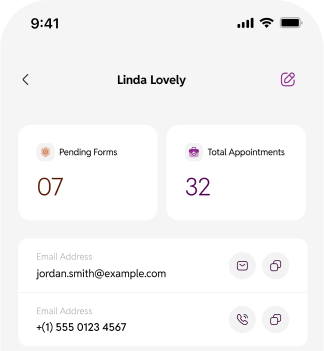
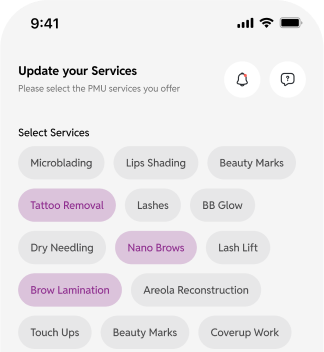
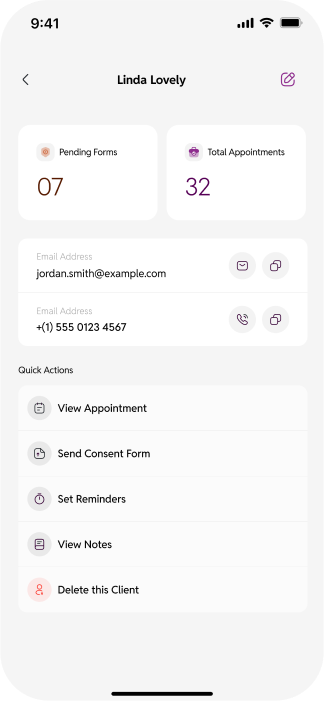
iPhone showing consent form editingiPhone showing client managementiPhone showing form sending

Holiday offer

Start 2027 strong. Your first month is on us.

Use the quiet weeks to set up your studio, and walk into the new year with forms, deposits and aftercare that run themselves. Subscribe with the code below and we'll cover your first month: $19.99 off your first payment.

Your codePMUSTUDIO2027
Claim my free month

$0 for your first month, then $19.99/month. Cancel anytime. For new subscribers. Works on iPhone, Android and the web.

Set up over the holidays

  1. Bring every form online

    Clients fill out and sign their consent and medical forms on their phone before they arrive. No clipboards in January.

  2. Connect Square

    New bookings send their forms automatically, and deposits come in by payment link, without the chasing.

  3. Put aftercare on autopilot

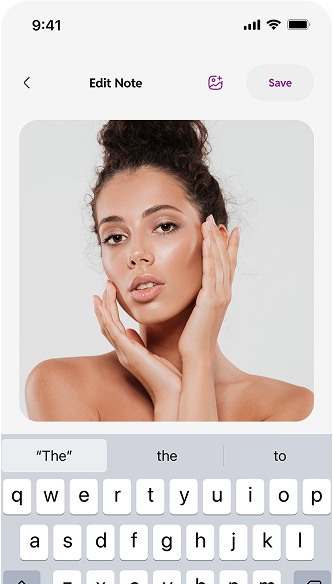
    Aftercare and healing check-ins go out on time, and healed photos land in each client's notes.

Most artists are set up in about 5 minutes.

Beyond consent forms

Every client, from booking to healed results.

PMU Forms now handles the whole appointment, not just the paperwork. Less chasing, fewer apps, and a record of every step.

  1. Step 1

    Booked

    A booking in Square Appointments adds the client and appointment for you.

  2. Step 2

    Forms & pre-care

    Consent forms go out with the booking, and pre-care arrives before the visit.

  3. Step 3

    Deposit paid

    Send a Square payment link and see the moment it's paid.

  4. Step 4

    Treatment

    Every pigment on your shelf tracked by lot, with expiry and recall status at a glance.

  5. Step 5

    Aftercare

    Mark the appointment complete and email aftercare in the same step.

  6. Step 6

    Healing check-in

    Check in weeks later. Clients reply with healing photos, no login needed.

What's new

More time for your art. Less admin.

Five new tools that work alongside the consent forms you already use.

Square integration

Your Square bookings, ready for consent.

Connect Square once and stop typing the same booking into two apps.

  • Match your Square services to your PMU Forms services once
  • New bookings add the client and appointment and send the right consent forms
  • Reschedule in Square and the appointment moves with it
Payments

Collect deposits without the chasing.

Request a deposit or the balance from any appointment and let Square handle the checkout.

  • Email the client a secure Square payment link, or copy it to text
  • Money goes straight to your Square account
  • The appointment shows Paid as soon as the client pays

Available to artists who connect a Square account.

Pre-care & aftercare

Pre-care and aftercare in a tap.

Clients arrive prepared and leave knowing exactly how to look after their results.

  • Send pre-care before the visit and aftercare when you mark it complete
  • Start from your own aftercare form, or let AI draft it when you want a hand
  • Every email is saved to the client's notes, so you have a record of what you sent
Healing check-ins

Check in on healing. Collect the photos.

A thoughtful follow-up that clients love, and healed photos for your records.

  • Schedule a check-in days, weeks or months after the appointment
  • Clients upload healing photos from a link, no login or app needed
  • Photos land in the client's notes, ready for the touch-up
Inventory & traceability

Know every lot on your shelf.

Track pigments and supplies by lot, so you're ready if a product is ever recalled.

  • Track products by lot number and expiration date as you receive stock
  • See what's low, expiring or expired, and quarantine or recall a lot in one tap
  • Keep SDS, COA and ingredient documents together in each product's compliance passport

PMU Forms organizes your product documents; it doesn't certify products.

Try every feature free.

Start on the web today, or download the app for iPhone or Android.

13 Reasons Why You Should Use
PMU Forms

Pre-Appointment Prep

Clients fill out consent, medical, and model release forms before arriving, so you can start on time without waiting room delays.

Declutter Your Studio

Replace paper stacks with digital forms and create a cleaner, more calming space for you and your clients.

Enhanced Legal Protection

PMUforms protects your consent records with secure cloud storage and legally binding digital signatures.

Stay Compliant with HIPAA

PMUforms helps PMU artists comply with data protection laws like HIPAA and GDPR by securely encrypting client data.

Look More Professional

Offer a smooth, tech-forward intake experience that builds trust with every client.

Branded for Your Studio

Personalize your forms and app page with your business name and details for a cohesive brand experience.

Easy Form Tracking

See which clients have submitted their forms and gently follow up with those who haven't.

Instant Aftercare Delivery

Send aftercare instructions directly from the app so clients leave with everything they need.

Set Up in 4 Easy Steps

Get started with PMU Forms for easy client intake, business protection, and a more professional studio.

Use PMU Forms anywhere

Access the web version right from your browser, or download the app from the App Store or Google Play to use it on the go.

Step 1

Choose Your Services

Access 30+ ready-made forms or tailor your own.

Step 2

Send to Clients

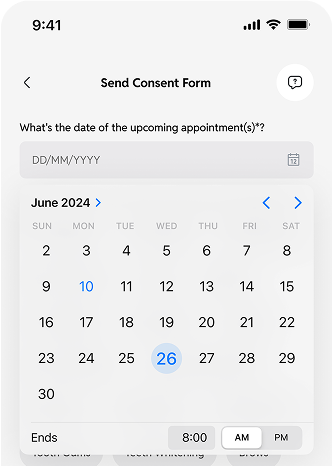
Clients fill and sign digitally — no printing, no scanning.

Step 3

Manage With Ease

Track client notes, store signatures, and keep all records organized securely.

Step 4

Everything You Need,
Already Done for You.

Email or print signed PDFs

Add private client notes

Works on phone, tablet & desktop

Lock forms after signing

Request new forms or services

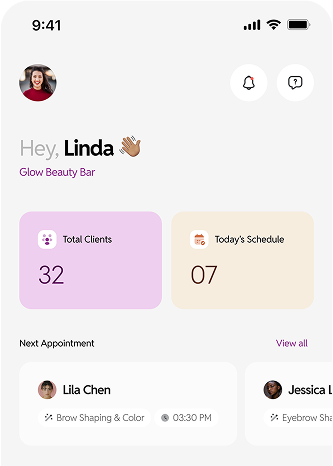
PMU Forms app interface showing client management dashboard

30+ ready PMU & beauty forms

Edit or build custom forms fast

Add before/after photos per client

Real handwritten e-signatures

Send link so clients fill forms right away

Trusted by Leading PMU Artists

Pricing

One plan. Everything included.

Every feature, on every device, for one simple price. Pay monthly, or pay yearly and save 37%.

Monthly

$19.99/month

Billed monthly. Cancel anytime.

🎁 Holiday offer: your first month is free with code PMUSTUDIO2027.

Claim my free month

Prefer your phone? Subscribe in the iPhone app or the Android app. One subscription works everywhere.

Everything included in both plans

Consent forms

  • 30+ ready-made PMU and beauty forms
  • Edit any form, or remove questions you don't need
  • Your own form link clients fill out on their phone
  • Handwritten e-signatures for client and artist
  • Signed forms stored for you, with PDF export

Client care

  • Pre-care emails before the appointment
  • Aftercare emails when you mark it complete
  • Healing check-ins with client photo upload
  • Client notes and before/after photos
  • Optional AI drafts for care emails

Bookings and payments

  • Square Appointments sync: new bookings get their forms automatically
  • Deposits and payments by Square payment link
  • No PMU Forms fee on payments (Square's standard fees apply)

Inventory

  • Pigments and supplies tracked by lot and expiry
  • See what's low, expiring or expired at a glance
  • Record which lot you used on each client
  • SDS and product documents kept in one place

Everywhere you work

  • iPhone, Android and web apps
  • One subscription works on all of them
  • Email support from real people at contact@pmuforms.com

About $0.41 a day on the yearly plan. One deposit collected instead of a no-show covers months of PMU Forms.

Invited by another artist? Sign up with their link and get $19.99 off your first payment in the web app.

Prices in US dollars. Taking payments needs a Square account; Square's standard processing fees apply.

Frequently Asked Questions

Everything you need to know about PMU Forms

Support TeamSupport TeamSupport Team

Still have questions?

Can't find the answer you're looking for? Please reach out to our friendly team.